News & Notices
Who can access this:
- Included in all plans
- Anyone with the News & Notices permission
News items are ideal for sharing brief updates and reminders directly to the newsfeed on the homescreen. This is a convenient way to keep users informed about what’s happening. The content is automatically formatted, ensuring a consistent look for your posts. With your content ready, you can share quickly and easily.
What to share
News items are best for short, time-sensitive updates, such as:
- Announcement about a new Challenge
- Reminders about events or special days
- Social media updates
- Notices about system updates
- Calls to action
Formatting options
Choose how your news is styled:
- Regular: This has no special formatting.
- Warning: Text appears in a yellow text box.
- Tweet: Text appears with the Twitter logo.
- LinkedIn: Text appears with the LinkedIn logo.
Where news appears
News items appear automatically in the second section of the newsfeed, just below the inbox, where personal images appear. They’re listed in reverse-chronological order, and there’s no limit to how many you can post.
Select a tab below (Mobile or Desktop) to see how they'll look in the app.
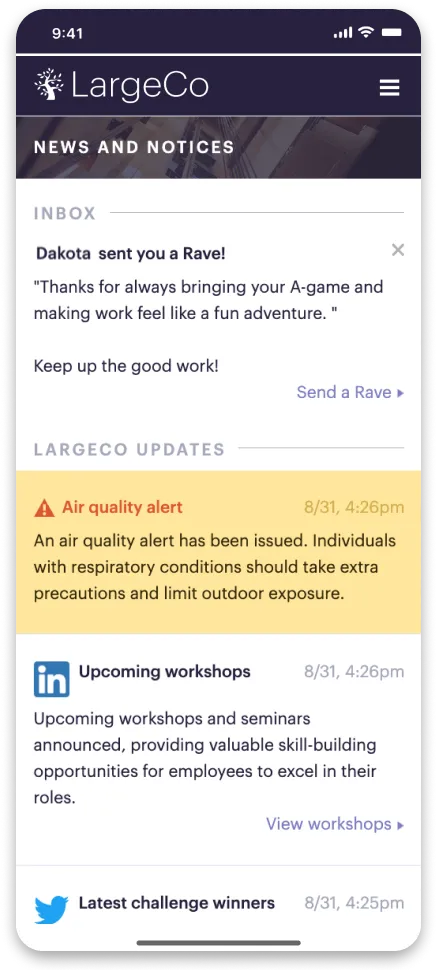
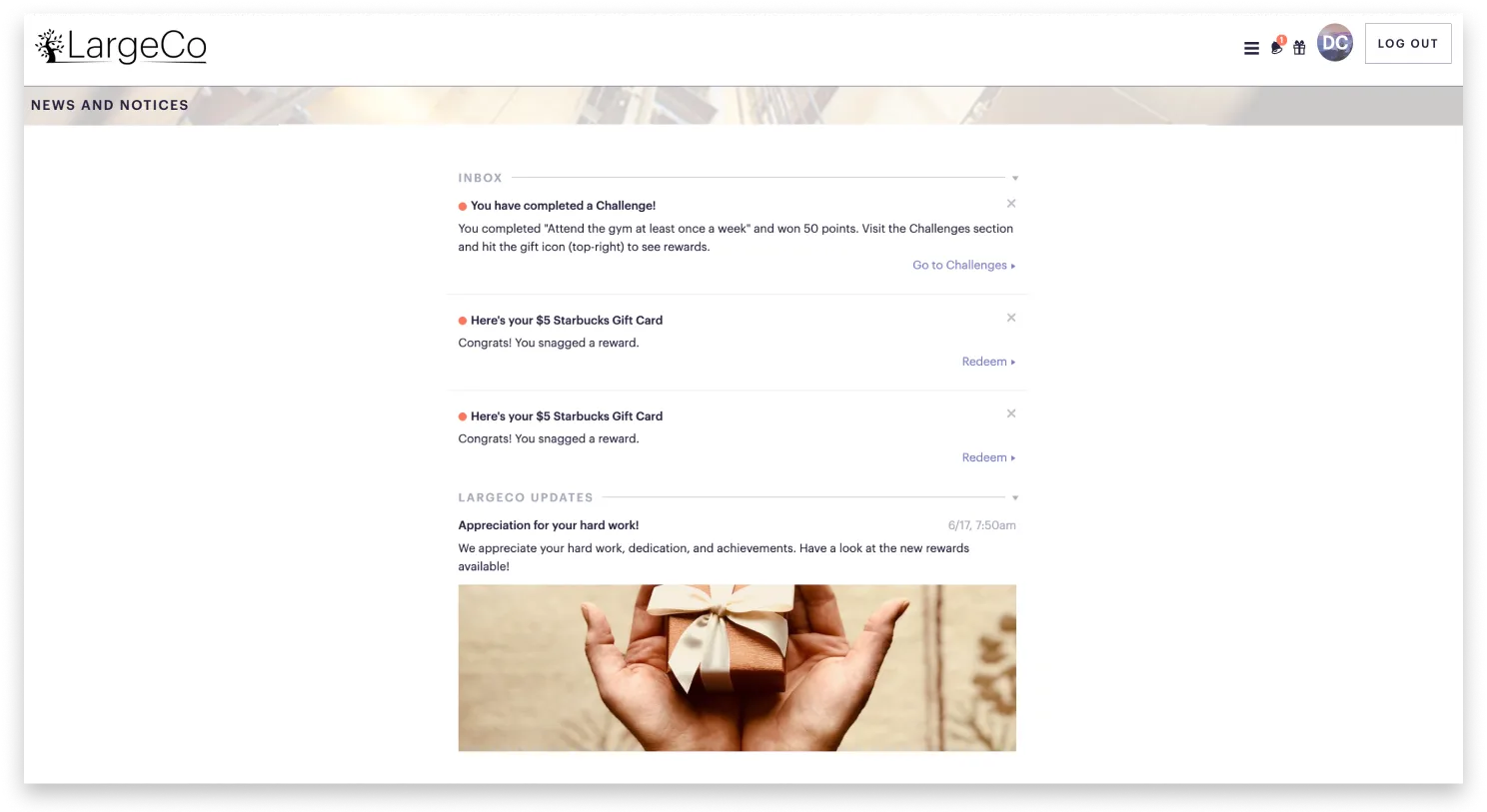
Once the user views a notification, the red dot next to it disappears.
What other items appears in the Notices newsfeed?
If users have made recognition public, these will they appear in the newsfeed. See Notices.
To create a News & Notices, see Add News & Notices.