Launch QR check-in
4 min
Who can do this:
- Anyone with viewing permission for Events
If you've enabled QR code check-in for your event, you'll be able to track attendance, and if you'd like, award points based on participation.
Do I need to enable 'Signup required' for QR check-in?
Yes—each attendee must sign up first to generate their unique QR code for check-in.
Get the QR code
Before the event, print or save a digital copy of the QR code.
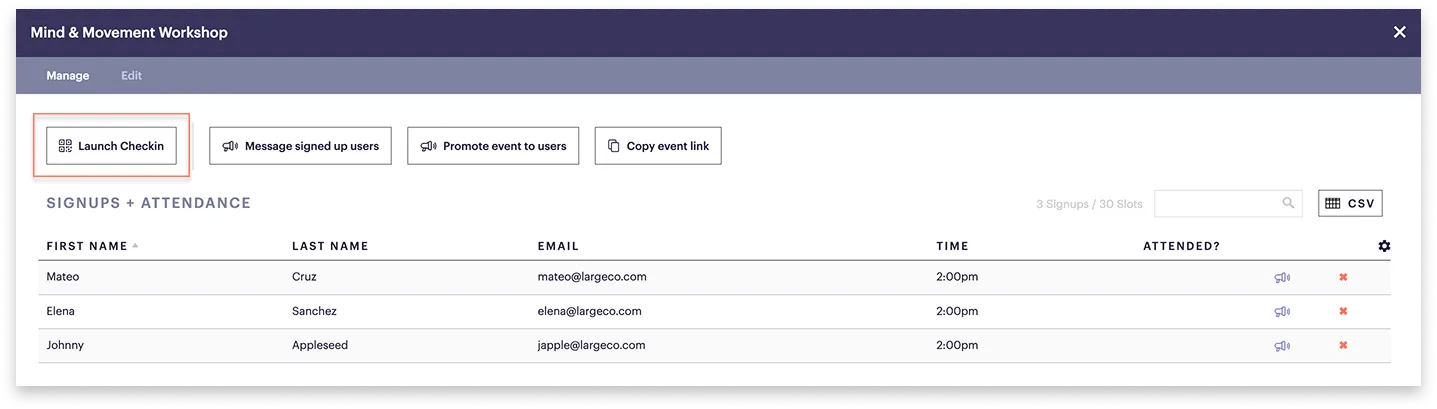
To get the QR code:
- Go to Events and select the event from the list.
- If users were required to signup, a list of names will be displayed.
- Select Launch checkin.
- Print the QR page or save a digital version to an iPad or tablet to use on the day of the event.
How do I award points for attendance?
You can award points manually through the points ledger, either individually or by user segment. For steps, see View & adjust Points.
Check in for an Event
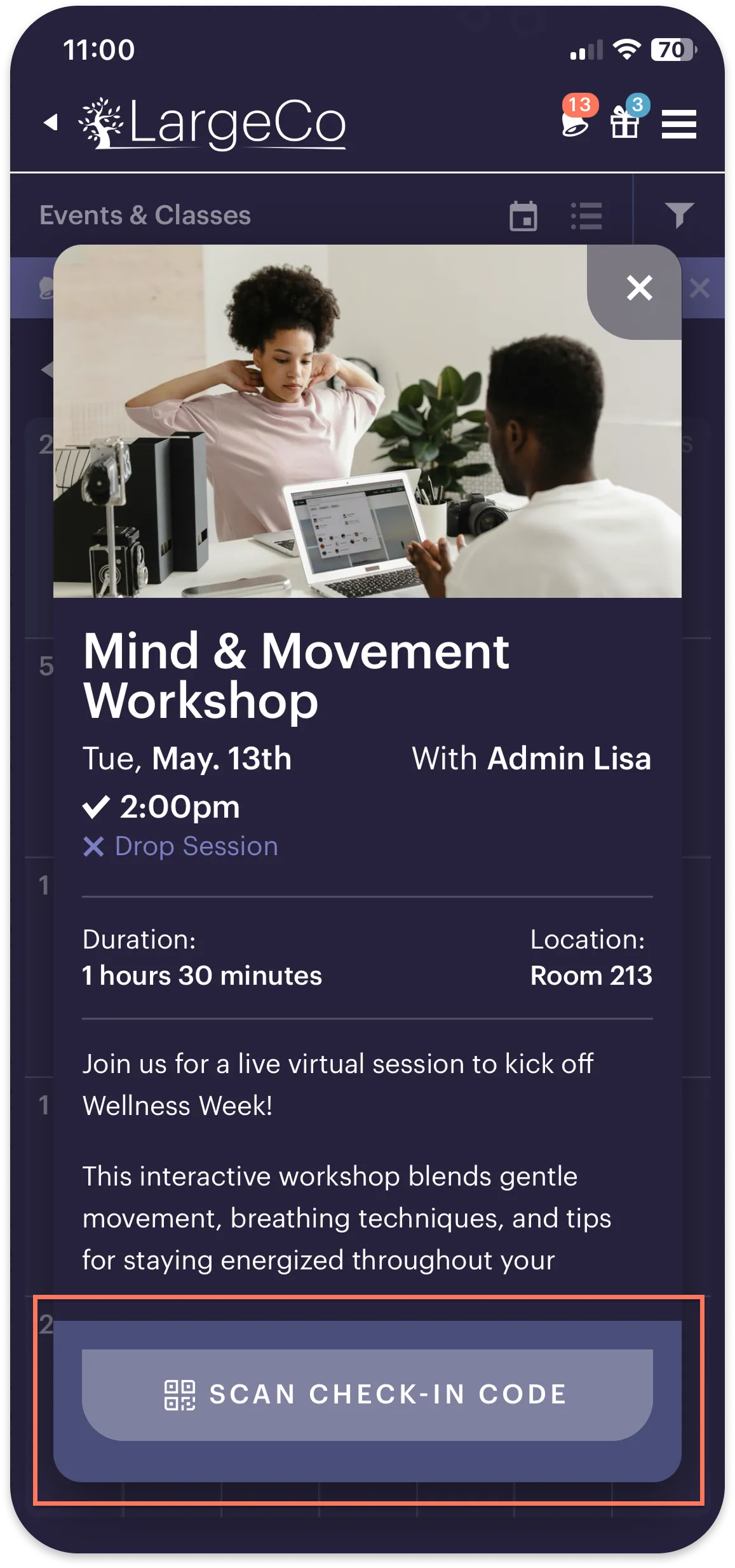
Here are the quick steps for users to check in at an in-person event:
- Open the event on your mobile device.
- Tap Scan check-in code. This opens your camera.
- Just point it at the QR code provided at the event.
Checking in
Check-in confirmed
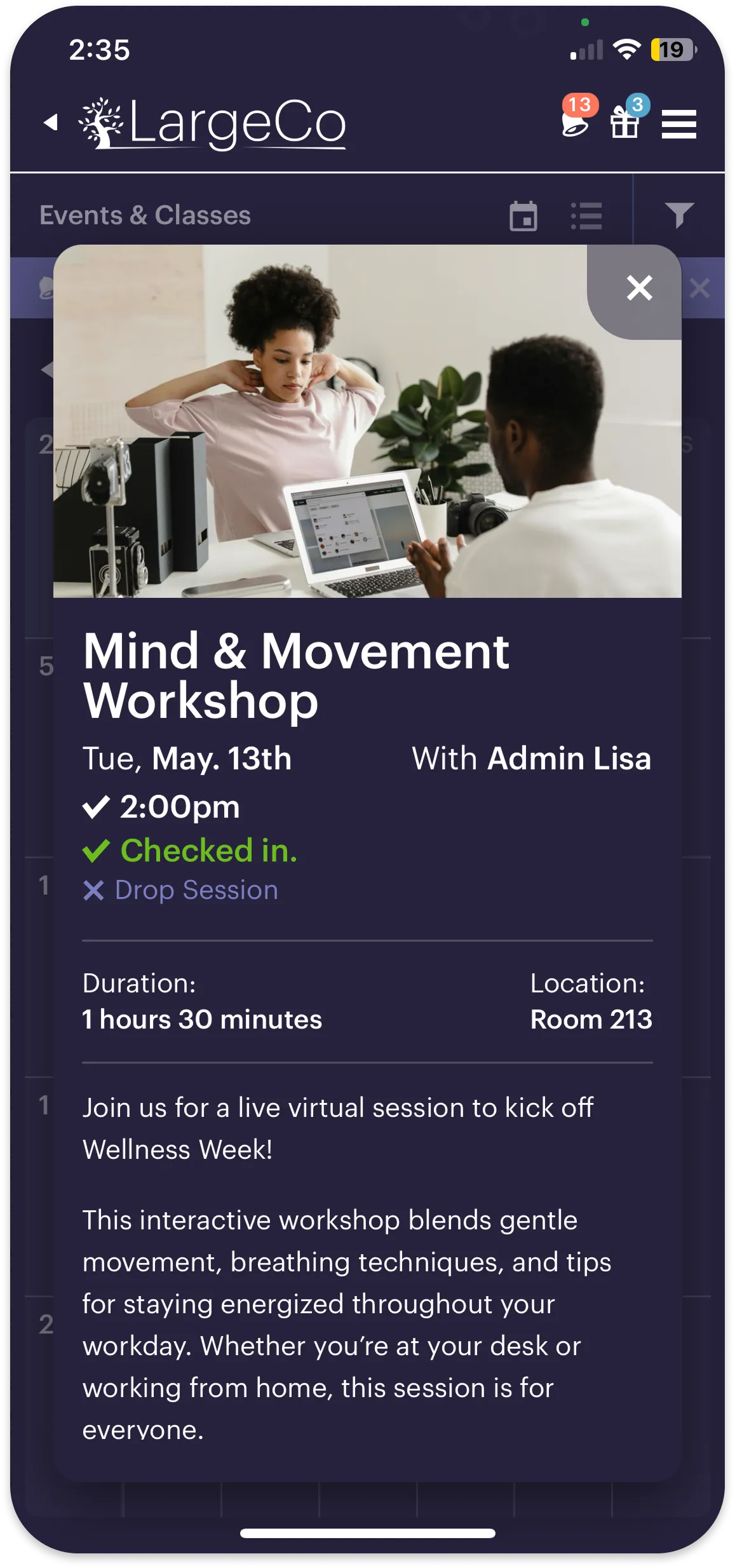
Users see a confirmation once the check-in is complete.