Change group settings
2 min
Who can do this:
- Anyone with the Structure (editable) permission
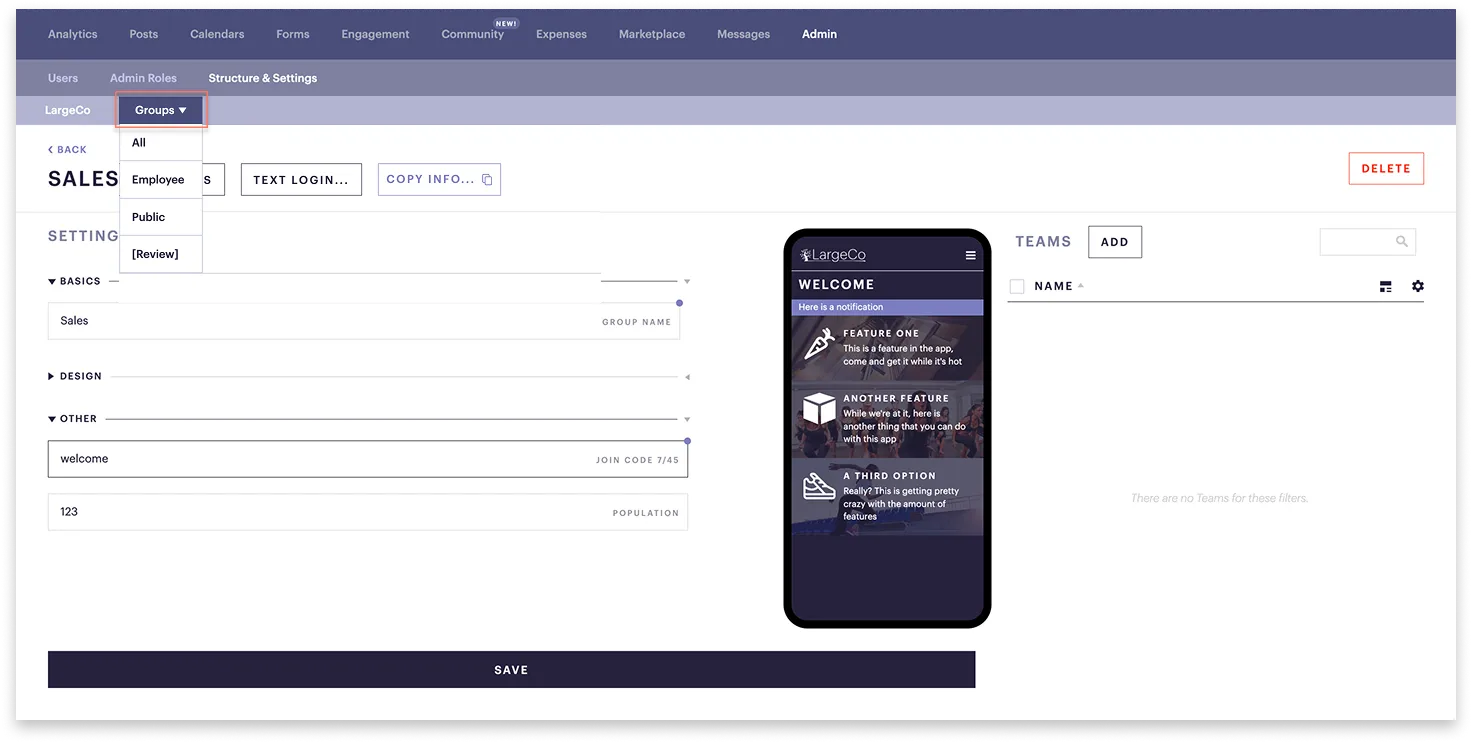
Each group or team, along with your organization, has its own settings, which can be edited. These include:
- Basic: Group or Team name
- Design: Add a unique layout, logo, icon, and color scheme
- Other: Population and join code
Why can't I access these settings?
You may not have access to these settings because you're not an administrator for the organization, or for the group or team whose settings you want to change. For more information, see Admin access overview.
To change a group's settings:
- Go to Admin ➤ Structure & Settings.
- The Settings page opens.
- In the Groups dropdown, select one.
- If you want to select a Team, first select the Group it belongs to, and in the adjacent dropdown, select the Team.