Style your layout
3 min
Who can do this:
- Anyone with editing permissions for the Homescreen and HS sections
Use styles to shape the overall look and feel of your layout.
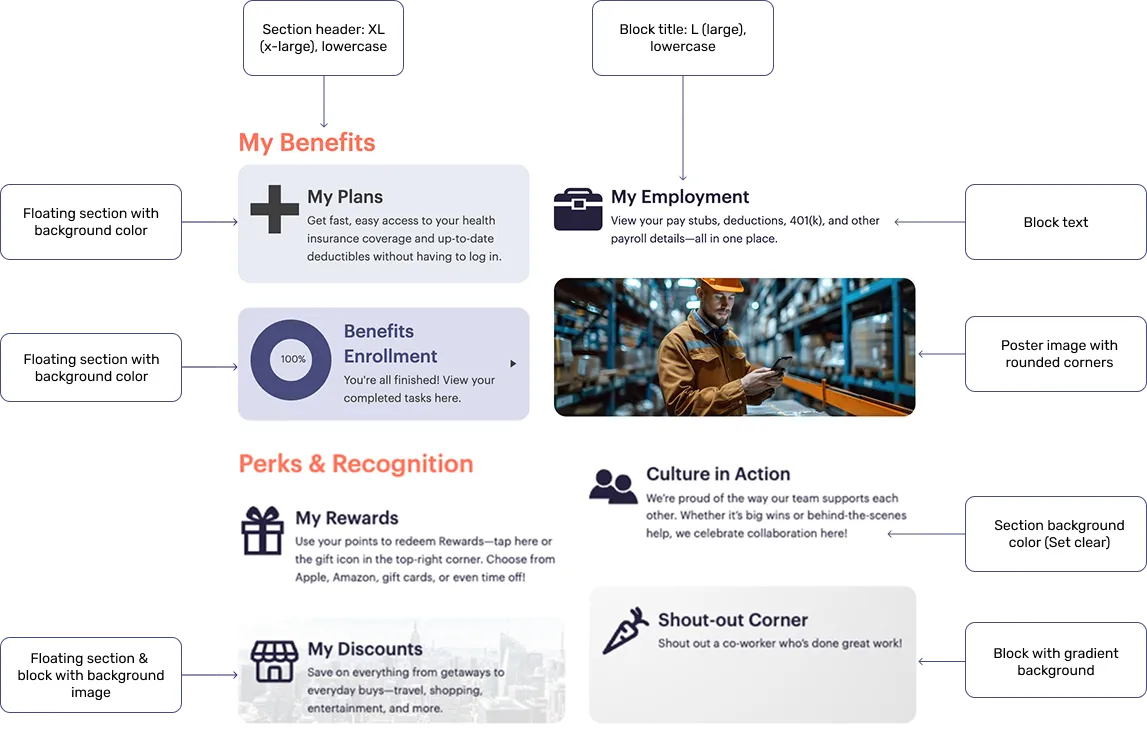
Layout elements like section headers, block titles, text size, colors, and backgrounds can all be adjusted—so you can mix and match to create the look you want:
Open section settings
To begin:
- In the top-left corner of the section, select the Gear.
- Select the Style tab.
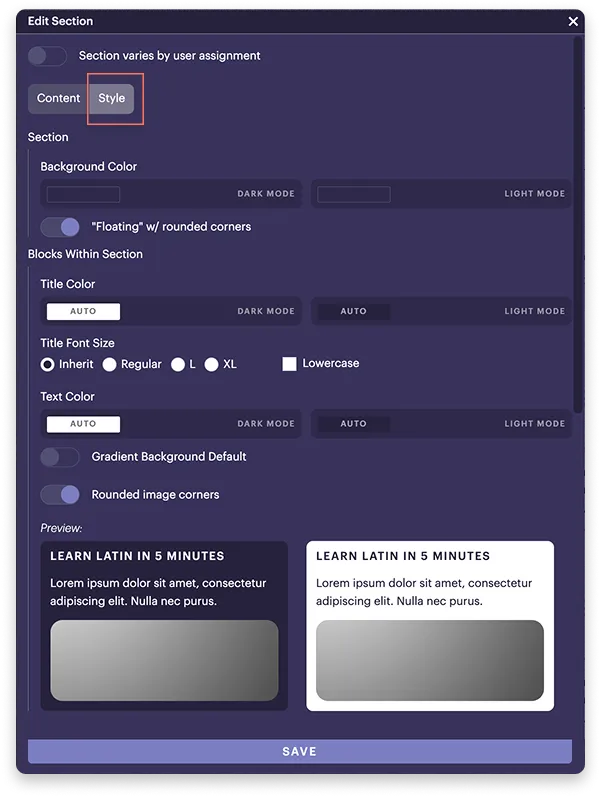
From here, you can adjust colors, text styles, and layout options to match the design you want:
Where should I start?
Begin by setting style options at the outer section level to apply consistent text styles and sizes across all blocks and nested sections. These styles carry over automatically unless overridden, making your layout more consistent and easier to manage.