Make key blocks stand out
2 min
Who can do this:
- Anyone with editing permissions for the Homescreen and HS sections
Style a single block
Choose a background color, image, or gradient to make a block stand out.
To style a single block:
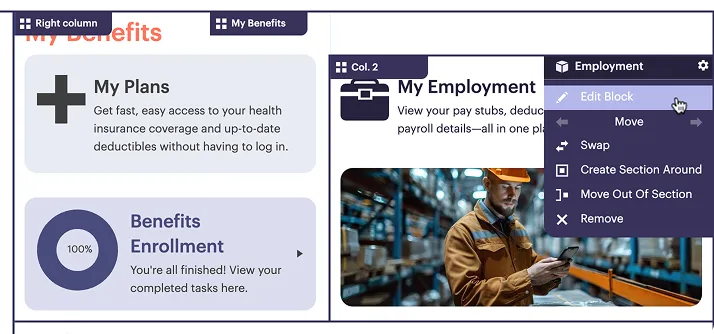
2. In the top-right corner menu, select Edit block.
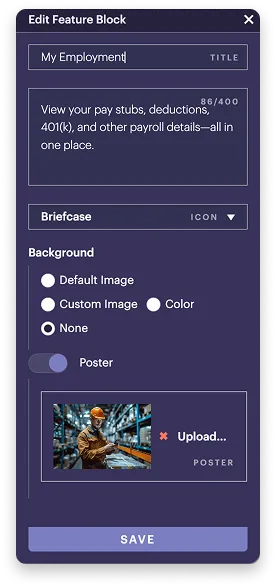
3. Adjust the settings:
- Default image: Use the existing image, if provided.
- Custom image: Choose Poster or Background.
- Color: Set a background color for dark and light mode. Changing the color here will override the section's background color.
- None: Select this if you want a transparent background.
4. Click Save.
The changes are immediately applied.