Colors & branding
The colors and branding of your app are tied to its hierarchy, which includes groups and teams. Besides being able to assign different content, you can create a uniquely branded experience for each group (including teams), with its own:
- Logo
- Icon
- Color scheme
You have the flexibility to keep these the same for all users, or vary one or two. For example, you might keep the same logo and icon for everyone but vary the color scheme by team. It's up to you.
Design options
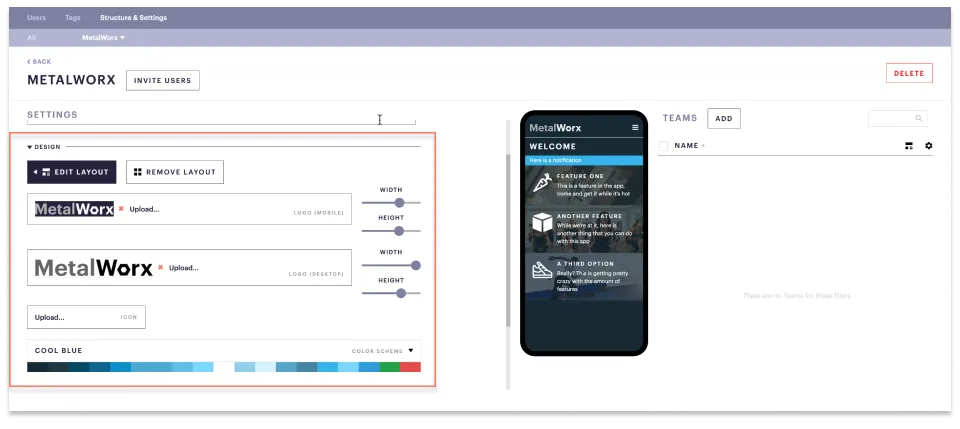
Each group and team has its own design options, located in the Admin ➤ Structure & Settings menu, as shown below.
Logo
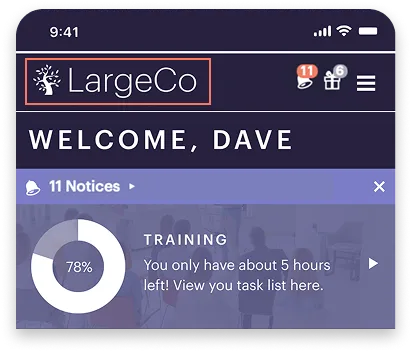
The logo appears in the top-left corner of the homescreen, opposite your login name.
Logo requirements include:
- All logos should be in PNG format to ensure they have a transparent background.
- A light-colored version to appear against a dark background.
- A dark-colored version to appear against a light background.
Icon
This changes the icon that appears on the tab of a web browser, next to the name of the web page, as shown below.

This doesn't change the icon that was originally set up for your iOS/Android app, which was used in the App Store/Google Play Store. Once your app is released, you're not able to change this icon on your own.
How do I change your app icon?
If you want to change this please contact the Refresh customer success team.
Color scheme
To give your app a consistent, polished look, you’ll start by choosing a color scheme from a set of ready-made palettes. This scheme sets the colors for global elements that aren’t customized individually, including:
- App background
- Links
- Call-to-action buttons
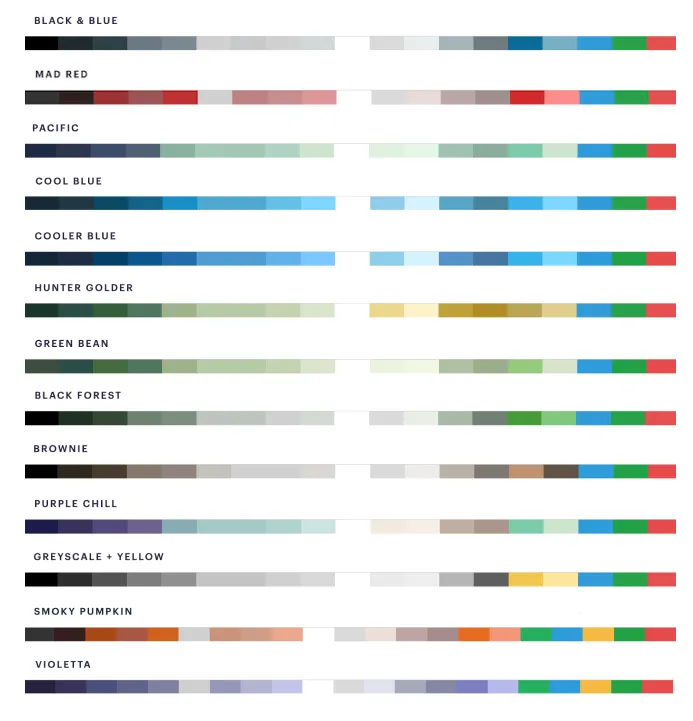
Pre-set color schemes include: